

Your serum sells well. So does your cream. Together, they make a routine you would gladly recommend in person.
So you create a bundle. Then more ideas come. Let customers pick their own products. Suggest a travel size as an add-on. Reward customers who buy several units.
Your catalog suggests more than one way to sell. Hokku turns those ideas into offers and presents them in your store’s colors.
A bundle is a start. Your catalog has other ideas
A bundle brings together products chosen because they work well together. A routine, an outfit, a ready-to-use kit: the set tells a story about how the products are used, and gives customers a reason to discover more of your range.
But not every customer is looking for the same thing.
One wants the full routine. Another already has the cream and only wants to add a cleanser. A returning customer stocks up on their favorite product. A new customer would like to put together their own selection.
Hokku lets you build an offer for each of these intents.
The right set, with the freedom to choose
For your ready-to-buy routine, Hokku shows the single product and the bundle on the product page of each product in it. A customer who came for the serum discovers the full set while looking at what they planned to buy.
They see the products in the bundle and its price. If you allow it, they pick from the variants you choose. The single product stays selected by default: the customer decides whether to switch to the full routine.
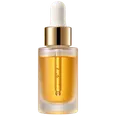
Build your pack
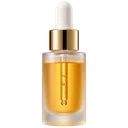 Glow face serum$39.90
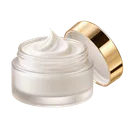 Hydrating cream$29.90
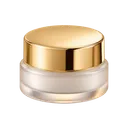 Eye cream$25.90
Demonstration: nothing can be bought from this page.
Example: a Hokku bundle, with the full routine as an option.
This block carries the advice you would give in a physical store. You know which products go together, which sizes and which uses. The block gives that knowledge a place on the product page.
And when choosing is part of the pleasure of buying, offer a build-your-own bundle (Mix & Match).
A selection of coffees to discover, skincare to combine to taste, fragrances to pick for a gift box: you set the selection and the rules, the customer builds the set.
The build-your-own bundle gives your customers that freedom, while you keep control of the selection. It is available from the Starter plan.
Discover the build-your-own bundle with Hokku.
Sometimes the best advice is one more product
A full bundle doesn’t match every intent. Sometimes the customer simply needs the add-on they hadn’t thought of.
A brush with its cleanser. Socks with a pair of shoes. An accessory with the gear they just chose.
With the Hokku cross-sell, you choose the products to suggest and, if you wish, a discount for each add-on. The customer takes what suits them.
Anything to go with it?
Total: $0.00
Demonstration: nothing can be bought from this page.
Example: a Hokku cross-sell with optional add-ons.
For a product customers buy again and again, a volume discount follows a different logic: several quantities, each with its own saving. Hokku presents these tiers as selectable cards or as a table.
Choose your pack
 Reusable cotton padsFree
Demonstration: nothing can be bought from this page.
Example: a Hokku volume discount, with the saving shown on each tier.
For a “Buy one, get one” or “Buy X, get Y” promotion, a block on the product page announces the offer, sets the quantity and adds the free item from the widget.
And the range goes further: an upsell to a higher-end version, a free gift, a free shipping progress bar.
Not all of these offers look like a bundle. Yet they answer the same question: which offer will make my customer want to take their purchase further?
Hokku brings them together in one app. Your offers live in one place, each with a layout designed for a different way of buying.
Start with your bundle. Explore another offer when your catalog or your next campaign calls for it.
Your offers are part of your brand
You chose a look and feel for your store. Colors, photos, a way of talking about your products. Your offers deserve the same care.
In Hokku, you choose the block’s style and its palette. For bundles and cross-sells, you also choose how products are laid out: a grid to showcase the selection in pictures, a list to detail the set, a carousel to browse it.
Want something discreet? Remove the bundle’s frame so it blends into your product page. Want more presence? Adjust its style and colors.
The preview follows your choices while you set up the offer. You see what it will look like and refine it until the layout feels right.
Theme mode picks up your store’s colors when it recognizes them. Ready-made palettes and custom colors are still there if you want to build your own combination.
Each offer keeps its own settings. Every new offer starts from your theme’s colors, so your routine, your add-ons and your volume discounts can share the same look, or each take their own.
The right spot for your offer, on a page that stays fast
Your customer hesitates just before adding to cart. That’s where your offer should be.
Hokku places it above the buy section of your product pages. On a theme that supports app blocks, you move it in the Shopify theme editor, with no code to edit.
The widget is light: your product page stays fast, and the offer shows up with it.
Your offers keep up with your catalog. If a product’s price changes, the bundle is flagged “Price to review”: you decide whether to update it or keep it as is. From the Pro plan, A/B tests compare two versions of an offer so you can keep the one that convinces more.
You offer the right deal at the right moment.
Your next offer may already be in your catalog
A routine to bring together. A selection to let customers build. An accessory to suggest alongside the product it goes with.
With Hokku, you choose the format that fits your idea. Bundle, build-your-own bundle, cross-sell, volume discount or buy one, get one: each offer presents your products in a different way.
Your first bundle may already seem obvious. You know which products to pair, what to call it, who to recommend it to.
Start with that idea. Then discover the other offers your store could run.
Discover Hokku bundles and choose the plan that fits your store.
Features mentioned depend on your plan and, for placement, on what your theme supports.